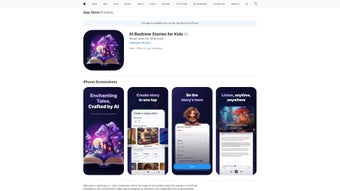

Download AI Bedtime Stories – Personalized AI Storytelling Tool for Kids
Overview of AI Bedtime Stories
AI Bedtime Stories is a cloud‑based web application that transforms the age‑old ritual of bedtime into a creative adventure powered by artificial intelligence. Designed specifically for parents, teachers, and caregivers, the platform lets you generate custom bedtime stories in seconds. By simply selecting a setting, choosing characters, and adding a few plot twists, the AI engine weaves a unique narrative that reflects your child’s interests and imagination.
The interface is intentionally child‑friendly, with large icons, drag‑and‑drop elements, and instant visual feedback, so even tech‑novice users feel confident crafting a story. One of the most exciting capabilities is the “Protagonist Story Creator,” which places the child directly into the tale as the hero, fostering a sense of agency and immersion. Additionally, the app offers high‑quality voice narration, allowing the story to be heard aloud with expressive tones, making the experience engaging for auditory learners.
All generated stories can be saved to a personal library, exported as PDFs, or shared via a secure link with family and friends. Whether you need a quick 5‑minute story or a longer adventure for a weekend, AI Bedtime Stories adapts to the desired length and complexity, providing a flexible, secure, and endlessly fresh storytelling solution.
Key Features, Installation & Usage Guide
Core Feature List
- Custom Narrative Engine – Choose settings, characters, and plot twists; AI generates a one‑of‑a‑kind story.
- Protagonist Story Creator – Insert your child’s name and role, turning them into the story’s hero.
- Voice Narration – Professional AI‑driven narration with adjustable speed and tone.
- Story Library – Save, organize, and revisit favorite tales anytime.
- One‑Click Sharing – Export to PDF or share via secure link for family and friends.
- Multilingual Support – Generate stories in several languages, great for bilingual households.
- Age‑Based Filters – Tailor vocabulary and complexity for different age groups.
- Safe Cloud Storage – End‑to‑end encryption keeps children’s data private.
How to Install and Start Creating
Because AI Bedtime Stories is a web‑application, there is no traditional download or installation process. Follow these three simple steps to get started:
- Visit the Official Site: Open your preferred browser (Chrome, Safari, Edge, or Firefox) and go to aibedtimestories.com. The site automatically detects your operating system and loads the optimal version.
- Create a Free Account: Click “Sign Up,” enter an email address, and set a secure password. You can also use Google or Apple single‑sign‑on for faster access. A verification email is sent to confirm your identity, ensuring a secure environment for children’s content.
- Start a New Story: Once logged in, select “Create New Story.” Choose a genre (fantasy, adventure, sci‑fi, etc.), pick a setting, add up to three main characters, and type your child’s name for the protagonist. The AI instantly generates a draft, which you can edit, reorder, or expand using the intuitive drag‑and‑drop editor. When satisfied, hit “Play Narration” to hear the story aloud, or click “Save to Library” for future use.
Tips for Maximizing the Experience
To get the most out of AI Bedtime Stories, consider these practical tips: experiment with different plot twists to keep narratives fresh; use the age‑based filter to ensure language appropriateness; enable the “Night Mode” for a dimmed interface that’s easier on sleepy eyes; and regularly export your library to a local backup for offline reading. The platform also provides a “Story Prompt” generator for days when inspiration is low—just input a keyword (e.g., “dinosaur”) and let the AI suggest a complete outline. By integrating these practices, parents can turn bedtime into a collaborative, educational, and entertaining routine that nurtures imagination while reducing the stress of coming up with new stories each night.
Compatibility, Pros & Cons, and Frequently Asked Questions
Supported Platforms (Operating System)
AI Bedtime Stories runs on any modern web browser, making it compatible with Windows 10/11, macOS Monterey and later, Chrome OS, Android 8.0+ (via Chrome), and iOS 13+ (via Safari or Chrome). Because the service is cloud‑based, there is no need for dedicated hardware or frequent software updates; all improvements are rolled out automatically on the server side.
Pros and Cons
- Pros
- Instantly generates unique stories tailored to a child’s interests.
- User‑friendly drag‑and‑drop interface suitable for all ages.
- High‑quality AI voice narration adds an auditory dimension.
- Secure cloud storage with end‑to‑end encryption protects privacy.
- Free tier available; premium subscription unlocks unlimited stories and advanced customization.
- Multilingual support encourages language learning.
- Cons
- Requires an active internet connection; offline mode is not yet available.
- Premium features (e.g., unlimited story length) are behind a subscription paywall.
- Voice narration may sound synthetic to some listeners, though it improves with regular updates.
- Limited visual illustration options; the platform focuses on text and audio.
FAQ – Answers to Common Queries
Is AI Bedtime Stories safe for children?
Yes. All content is generated by a filtered AI model that removes inappropriate language. The platform also uses SSL encryption and complies with COPPA and GDPR standards, ensuring that personal data is protected.
Can I use the service on a tablet or smartphone?
Absolutely. The responsive design works on Android tablets, iPads, and any device with a modern browser. The UI adapts to touch controls for easy story creation on the go.
How many stories can I create for free?
The free plan allows up to 5 stories per month, each up to 800 words. This is ideal for testing the platform before deciding on a subscription.
Is there an option to download stories for offline reading?
Yes. Users can export any saved story as a PDF or plain text file, which can be stored locally on any device for offline access.
What languages does the AI support?
Currently, the platform supports English, Spanish, French, German, and Mandarin. Additional languages are being added based on user demand.
Conclusion & Call to Action
AI Bedtime Stories fills a niche that many parents have long searched for: a reliable, imaginative, and secure way to deliver fresh bedtime narratives every night. By leveraging state‑of‑the‑art AI, the platform eliminates the creative block that can accompany traditional storytelling while still allowing for personal touches that make each tale feel handcrafted. The combination of an intuitive interface, voice narration, and a secure library makes it a compelling addition to any family’s bedtime routine. While the requirement for an internet connection and the premium subscription model are considerations, the value delivered—especially for families who value educational, language‑rich content—far outweighs these minor drawbacks. If you’re ready to transform bedtime into a magical, interactive experience, click the link below to create a free account and start generating your first personalized story today.
Start Your Free Trial of AI Bedtime Stories Now
Overall Rating: 4.5 / 5



.png)



